Factory Reset
Factory reset is only supported on WiCAN PRO devices. Use this procedure if you forget the Wi-Fi access-point credentials or apply a configuration that leaves the device unreachable.
Entering Safe Mode
- Unplug the WiCAN PRO from the vehicle OBD-II port.
- Press and hold the on-device button, then plug the unit back into the OBD-II port while still holding the button.
- Continue holding the button for about 10 seconds, or until the yellow status LED turns on, then release the button. The device will boot into safe mode.
In safe mode the WiCAN PRO broadcasts an access point named WiCAN_xxxxxxxxxx with the default password @meatpi#.
Performing The Reset
- Connect your laptop or mobile device to the WiCAN safe-mode access point.
- Open a browser and navigate to
http://192.168.0.10/. - The safe-mode page exposes only two actions: Factory Reset and Firmware Update. Select Factory Reset to restore factory defaults—this deletes all saved settings and cannot be undone.
After the device reboots, reconnect using your preferred configuration or perform a firmware update if needed.
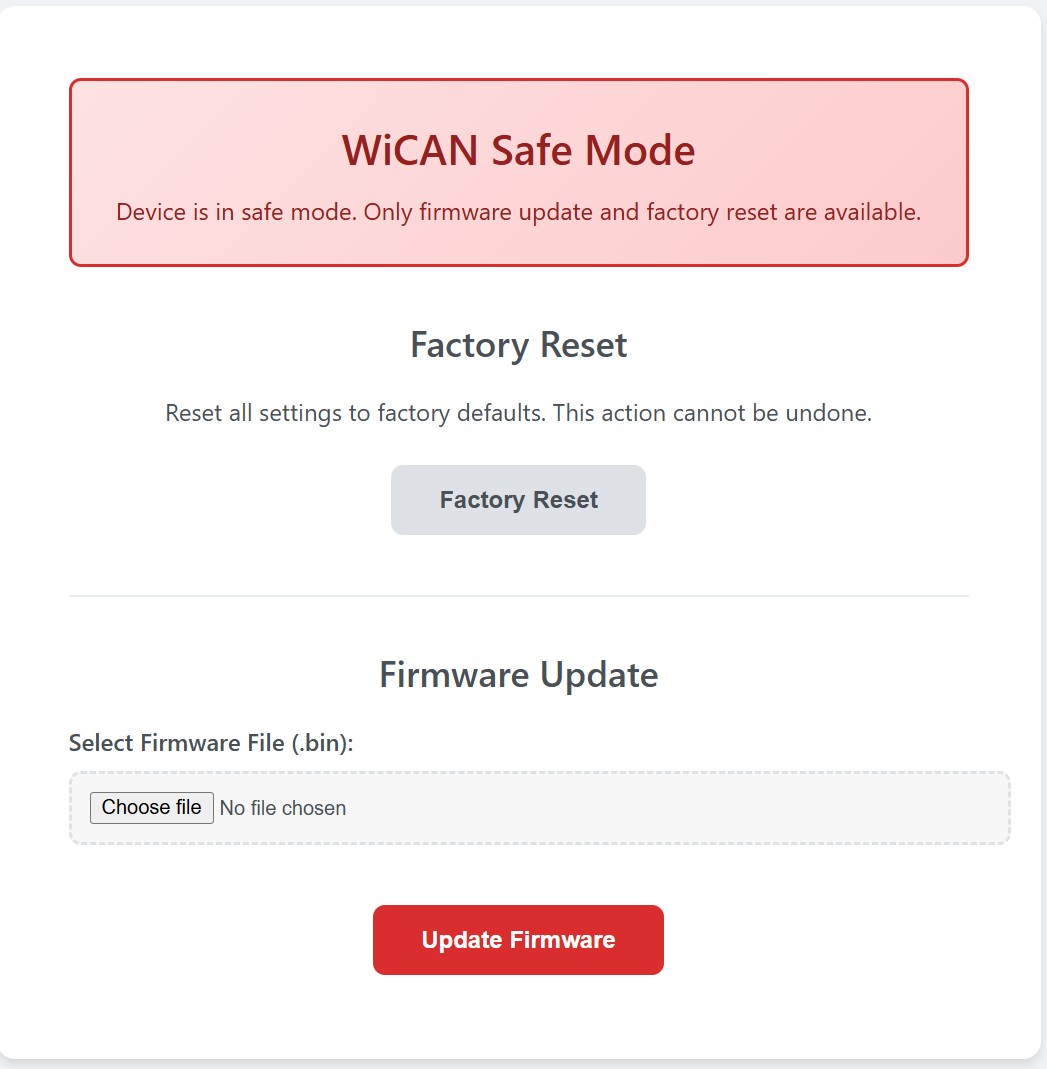
Table of Contents